Plenty of businesses now invest properly in video, a decent explainer, a few case study interviews, some social content, and then upload it all with a generic filename, a one-line description, and no real thought given to whether anyone can actually find it.
The video itself might be genuinely good. Nobody searching for what it answers will ever see it, because getting video found and ranked is its own discipline, not something that happens automatically just because the content exists.
Search engines can't watch a video the way a person can, so they rely heavily on the surrounding text, metadata, transcripts and context to understand what a video actually covers and who it's relevant to.
A brilliant video with none of that supporting information is, from a search engine's perspective, close to invisible.
Video SEO is the practice of giving search engines and video platforms enough genuine, accurate information to understand your content well enough to surface it to the right people, whether that's within Google's regular search results, YouTube's own search and recommendations, or increasingly, the video results Google now shows directly inside standard search results and AI-generated overviews.
YouTube remains the single biggest video search engine after Google itself, and for most businesses, hosting your core video content there, even if you also embed it on your own site, gives you the best chance of being found through video-specific search behaviour.
Self-hosting a video purely on your own website, with nothing uploaded to YouTube at all, means missing out on YouTube's own considerable search traffic entirely, and can also slow your own site down if the video file isn't properly optimised.
The practical approach most businesses land on is uploading properly to YouTube for discoverability, then embedding that same video on the relevant page of your own site, getting the benefit of both.

Search engines can't watch a video, so they rely on the text and metadata around it to understand what it covers. YouTube remains the biggest video search engine after Google itself, which is why where you host still matters more than most businesses assume.
Watch time, click-through rate from search and suggested feeds, and audience retention through a video all feed directly into how YouTube decides who to show a video to next, separately from anything Google itself does with the embedded version on your site.
Gated content behind a login, internal training material, or video tied to a paid product genuinely suits self-hosting, since YouTube discovery is irrelevant when the content was never meant to be publicly searchable in the first place.
Serving video through a proper video hosting layer or CDN, rather than a raw file sitting on your own server, avoids the page-speed penalty that a large, unoptimised video file can otherwise cause, which matters directly for the wider ranking factors covered in our guide on website speed and Core Web Vitals.
A standard YouTube embed keeps the video’s watch time and engagement data attributed correctly on YouTube’s side, while still giving your own page a video to enrich its content and time-on-page. Re-uploading the same video natively to multiple platforms, rather than only embedding, is what actually captures each platform’s own discovery audience, covered further below.
| Element | Why it matters | Common mistake |
|---|---|---|
| Title | Matches real search language, with the main keyword near the front | A generic internal project name |
| Description | Gives search engines genuine context on what the video covers | A single throwaway line |
| Tags & categories | Helps platforms understand context and who else to show it to | Left on default settings |
| Custom thumbnail | Has a direct, measurable effect on click-through rate | A generic auto-generated frame |
| Captions & transcript | Turns speech into indexable, accessible text | Skipped entirely |
| VideoObject schema | Lets the video appear with a thumbnail and duration in search results | Left out of the page altogether |
A title structured as [what it is] + [specific benefit or outcome], for example "How to Reduce Google Ads Cost Per Click: 5 Proven Methods" rather than a vague or clever alternative, consistently matches real search phrasing better and earns more genuine search traffic over time.
Front-loading the first two lines with the video’s core value, since that is what shows before a viewer clicks "show more", then following with a fuller description and relevant links, gives both the viewer and the platform’s indexing system what they each need without keyword stuffing.
A clear focal point, readable text at small size, since most thumbnails are seen at a fraction of full size on mobile, and genuine contrast against a busy feed all measurably lift click-through rate. Testing two thumbnail variants on the same video, where the platform allows it, is worth the small extra effort for anything meant to carry real search traffic.
A full, accurate transcript turns an otherwise unreadable video file into genuine, indexable text content that search engines can actually read and understand in detail, not just infer from a title and description.
Publishing that transcript alongside the embedded video on your own site gives search engines considerably more to work with when deciding what the page is about and which searches it deserves to appear for, and as a genuine side benefit, it also makes your content properly accessible to anyone who's deaf, hard of hearing, or simply prefers reading to watching with the sound on.
This overlaps directly with the broader principles covered in our guide on website accessibility, since captions and transcripts sit at the intersection of good SEO practice and genuine accessibility, not two separate concerns.

A descriptive title people would actually search for, a proper description written for humans, and accurate tags do more for discoverability than any clever internal naming convention. A full published transcript is the most underused tool of all, turning an unreadable video into genuine indexable text.
Auto-generated captions are a reasonable starting point but routinely misread names, technical terms and numbers, and search engines weight a cleaned-up, human-reviewed transcript more heavily than one still full of recognisable errors. A quick pass to fix obvious mistakes is worth the ten minutes it usually takes.
Publishing the full transcript on the same page as the embedded video, not just uploading captions to YouTube alone, is what gives your own website the indexable text benefit. A collapsible section works well here, keeping the page visually clean while still making the full text available to both readers and search engines.
VideoObject schema markup tells search engines specific, structured facts about your video, its title, description, duration, upload date and thumbnail, in a format they can read with total certainty rather than having to infer it from surrounding page content.
This is what allows a video to appear with a proper thumbnail and duration directly inside standard Google search results, rather than being buried as a plain text link, and it's a genuinely underused piece of technical groundwork on a lot of business websites that otherwise have decent video content.
Name, description, thumbnailUrl, uploadDate and duration are the core fields Google actively uses to build a rich video result. contentUrl or embedUrl is what lets Google actually verify the video exists and matches the claims made in the surrounding markup.
Schema that describes a different video, or an outdated thumbnail and duration from an earlier edit, does not throw an error, it simply gets ignored or, worse, flagged as untrustworthy by Google’s validation. Re-checking VideoObject markup any time a video is re-edited or replaced is a simple habit that avoids this entirely.
Google’s Rich Results Test tool checks VideoObject markup for errors and shows a preview of how it is likely to appear in search, and is worth running on every new page before publishing rather than assuming markup copied from a template is still valid for the new content.
The same shift affecting written content applies to video.
AI-driven answer engines increasingly cite and surface video content directly when it answers a specific question clearly, particularly when a transcript makes that answer genuinely extractable rather than buried in speech with no accompanying text.
Our guide on AI search optimisation covers this shift in more depth for written content, and the same underlying principle, being genuinely useful and clearly structured rather than just present, applies just as much to video.

VideoObject structured data tells search engines exact facts about your video instead of leaving them to guess, which is what gets you a thumbnail and duration in search results rather than a plain text link. The same shift towards extractable, transcript-backed content applies just as much to AI search and answer engines.
Uploading with a generic filename and no real description. A file named "final_v3_edit.mp4" with a one-line description gives a search engine almost nothing to work with, regardless of how good the actual content is.
Treating video and written content as entirely separate projects.
A strong video with no accompanying page, transcript, or supporting written context around it misses the chance to rank for the written searches that would naturally lead someone to want to watch it in the first place.
Ignoring watch time and audience retention. Platforms reward content that holds attention, and a video with a strong opening but a steep drop-off partway through will be recommended less, regardless of how well the title and description are optimised.
Never revisiting older video content.
A video that was accurately titled and described when it was uploaded two years ago may no longer reflect current terminology, pricing, or how people actually search today, and periodically revisiting and refreshing older video metadata is a routinely skipped piece of maintenance.
Before a new video goes live, run through this short list:
Generic filenames, treating video and written content as separate projects, and ignoring audience retention are the three quietest ways good video content stays buried. Run the pre-publish checklist before anything goes live, not after it's already sat there for months with no traffic.
A UK B2B services firm had produced a genuinely strong set of explainer and case study videos over the previous year, but had uploaded almost all of them with minimal descriptions and no transcripts, and was seeing very little organic traffic from any of them despite the production quality being high.
Adding full transcripts to the five best-performing videos, publishing those transcripts as proper page content alongside each embedded video, and rewriting titles and descriptions around the actual questions the videos answered took under a week of focused work.
Within two months, three of the five pages began appearing in search results for relevant questions the videos directly answered, something that had never happened in the entire previous year the videos had been live with minimal metadata.
Nothing about the video content itself changed at all. What changed was whether search engines could actually understand and surface it.
YouTube is the backbone of video SEO for most businesses, but treating it as the only place video discovery happens misses a growing share of how people actually find video content today.
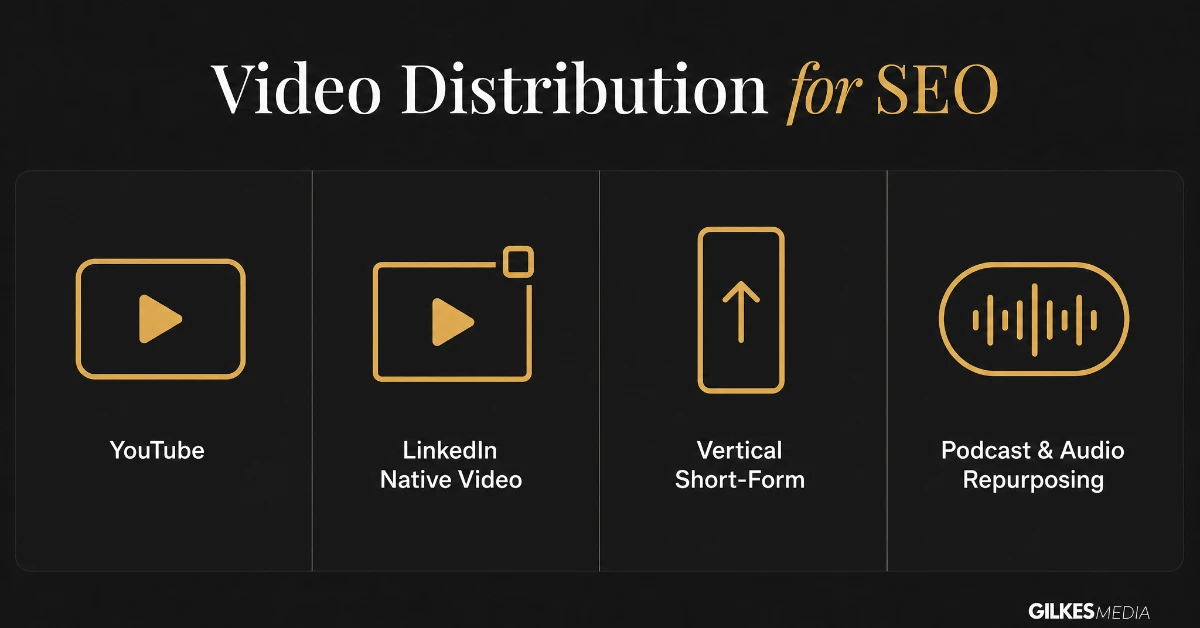
Shorts, Reels and TikTok all function as their own discovery engines, surfacing content to people who never searched for it directly. A short-form cut of a longer video, built around one clear point rather than a trailer for the full piece, can bring in an audience that a standard YouTube search never would.
LinkedIn’s algorithm consistently favours video uploaded natively over a shared YouTube link, which loses most of its reach by comparison. For B2B content specifically, native LinkedIn video reaches a professional audience directly inside the platform they already use for work, without needing that audience to search for anything at all.
Stripping the audio from a video and publishing it as a podcast episode reaches people during commutes and other audio-only moments a video format can never capture, and increasingly gets indexed and surfaced by its own transcript in exactly the way a video’s transcript is used elsewhere in this guide.
Video SEO stopped being just a YouTube question some time ago. The businesses winning now are distributing the same core video across several discovery engines, not just optimising harder within one.
Video SEO is easy to do and never check. A short list of numbers, reviewed monthly, tells you whether the work is actually paying off.
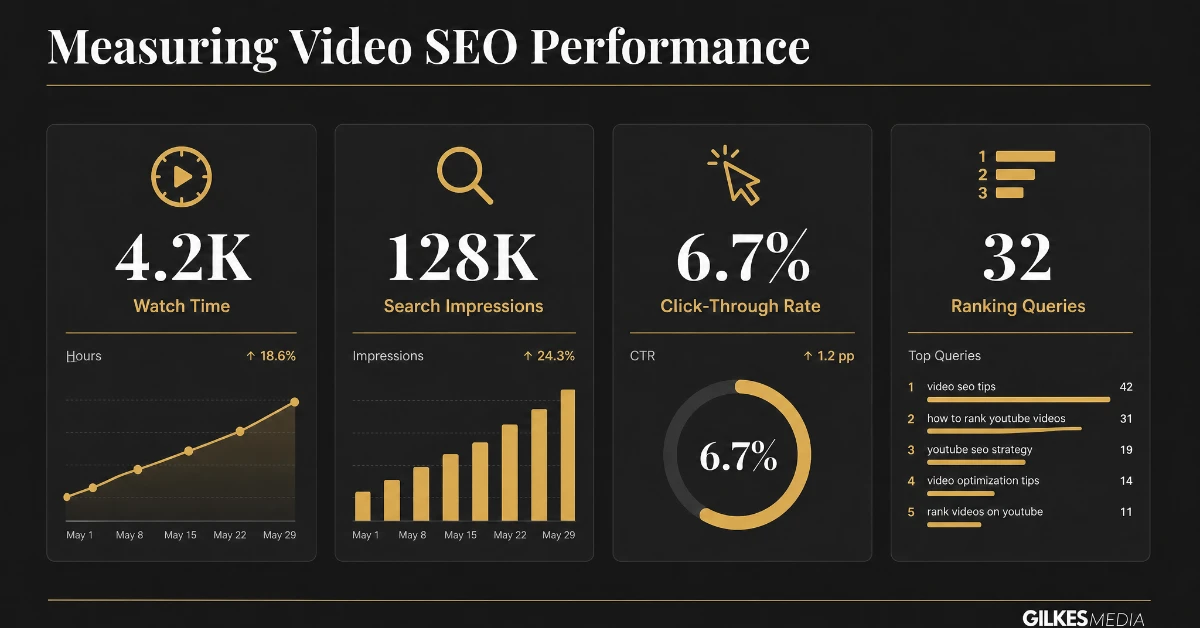
YouTube Analytics’ own traffic source breakdown shows how much of your view count comes from YouTube search specifically, as distinct from suggested videos or external sources, which is the clearest read on whether your on-page optimisation is working. Google Search Console’s video-specific search appearance filter shows the same thing for your own website.
| Metric | Where to find it | What it tells you |
|---|---|---|
| YouTube search traffic share | YouTube Analytics → Traffic sources | Whether your title, description and tags are working |
| Average view duration | YouTube Analytics → Engagement | Whether the content itself holds attention once found |
| Video search appearances | Google Search Console → Search appearance | Whether your embedded video is being surfaced in web search |
| Click-through rate on thumbnail | YouTube Analytics → Reach | Whether the title and thumbnail combination is compelling enough to click |
Give newly optimised video content four to eight weeks before drawing conclusions. Both YouTube’s and Google’s systems need time to properly index a transcript, register engagement signals, and decide how much to trust a piece of content, and judging performance in the first week almost always understates how a well-optimised video eventually performs.
The businesses that get the most out of video SEO treat it as part of production, not a task remembered after a video is already live and underperforming.
Video SEO tends to fall through the cracks when it sits between whoever makes the video and whoever manages the website, with each assuming the other handles it. Naming one person responsible for the checklist above, even if they are not the one filming or editing, is a small process change that reliably fixes this.
Indirectly, yes. Embedding a YouTube video on your own page and publishing its transcript alongside it gives search engines genuine text content to index, and video-rich pages tend to hold attention longer, both of which support the page’s own ranking.
Ideally yes, especially for anything substantial. A transcript is the single highest-value, lowest-effort video SEO step most businesses skip, and it doubles as a genuine accessibility improvement.
Very. Thumbnails drive click-through rate directly, and a higher click-through rate is itself a signal that tells YouTube and Google your video is worth showing to more people.
Yes, wherever technically feasible. It is what allows a thumbnail and duration to appear directly in Google search results rather than a plain text link, and it costs nothing ongoing once implemented correctly.
Often yes, for distribution and awareness rather than direct lead capture. It reaches people who were never searching for your content at all, which complements rather than replaces search-focused long-form video.
Four to eight weeks is realistic for both YouTube and Google to properly register and trust newly optimised content. Judging performance any earlier usually understates the eventual result.
If you already have a library of video content sitting on your site or your YouTube channel, video SEO is often one of the highest-return, lowest-cost improvements available, since the expensive part, actually producing the content, is already done.
Our guide on B2B video marketing covers where video earns its place across the funnel, and our video production cost guide is worth reading alongside this one if you're planning to invest in new content rather than optimising what already exists.
Get in touch through our contact page for a free discovery call, and we'll take an honest look at whether your existing video content is genuinely working as hard as it could be, or quietly going unseen.
The worked example is the lesson worth keeping: adding transcripts and rewriting titles around real questions took under a week and got three of five videos ranking within two months. If the content's already made, video SEO is often the cheapest improvement available to you.
Most businesses have a backlog of video, product demos, webinar recordings, event footage, that was never optimised at all. Going back and adding a transcript, a proper description, and VideoObject schema to existing high-value video is often faster and cheaper than producing new content, and it can lift performance on assets that have been quietly underperforming for months or years.
Prioritise older video by whatever traffic or engagement data already exists, rather than working through the backlog chronologically. A well-viewed video with weak metadata is a better use of an afternoon than an obscure one nobody has watched regardless of how well it gets optimised.
A business doing video SEO properly should be able to point to a growing share of views coming from search rather than suggested feeds or external links, a stable or improving average view duration, and at least a handful of videos appearing with a thumbnail and duration directly inside Google search results. If none of those three are moving after six months of consistent publishing, the issue is more likely the optimisation fundamentals than the content itself.
That distinction matters because businesses often respond to disappointing video performance by making more video, faster, rather than fixing the on-page and technical fundamentals covered throughout this guide. More unoptimised video rarely outperforms fewer, properly optimised videos over any meaningful timeframe.
Video SEO is not a separate discipline from the rest of a site’s SEO, it is the same underlying principles, relevance, technical implementation, genuine usefulness, applied to a different content format. A page with a well-optimised video, a full transcript, and correctly implemented schema is, in practical terms, simply a stronger version of a well-optimised written page, not a different kind of asset requiring an entirely separate strategy.
Treating it that way, folding video into the same content planning and technical SEO process used for written pages rather than running it as a side project, is what lets a business compound the benefit across its whole site rather than getting isolated wins on individual video pages that never reinforce the wider domain.
Get those fundamentals right once, a transcript process, a schema template, a thumbnail workflow, and every piece of video published afterwards inherits the benefit automatically, rather than needing the same optimisation work repeated and half-remembered on every new upload.
That is the real payoff of treating video SEO as infrastructure rather than a one-off task: the effort goes in once, and the return compounds across every video a business publishes from that point on.
If the rest of this guide feels like too much to tackle at once, start with transcripts. Adding a full, cleaned-up transcript to your three or four best-performing existing videos, published on the same page as the embedded video, is the single highest-return action covered here, and it takes an afternoon rather than a rebuilt content process.
Everything else, schema, thumbnails, cross-platform distribution, compounds on top of that foundation far more effectively once the transcript habit is already in place, which is exactly why it is worth doing first rather than last.
None of this requires a bigger production budget or more filming. It requires treating the video you already have as a genuine SEO asset rather than a media file dropped onto a page and left to fend for itself, which is the gap between businesses that quietly waste good video content and ones that get search traffic compounding from it for years.
Start with what you already have, a transcript, a proper description, one piece of schema, before committing to filming anything new, and the return on your existing video library will very likely surprise you.
And if you are already producing new video regularly, build the checklist above into that process now, rather than facing the same backlog-and-retrofit exercise again in another year’s worth of unoptimised content.
Video SEO rewards businesses that treat it as a discipline rather than an afterthought, and the compounding return on getting the fundamentals right early is considerably larger than most businesses expect before they have actually tried it properly.
Whichever end of that spectrum your business is starting from, the direction of travel is the same: fewer excuses for video that nobody can find, and a genuinely repeatable process behind every piece you publish from here on.
Treat that as the standard for every video from today forward, and the gap between your video content and your search rankings starts closing rather than quietly widening.